


【Route53】【第2回】ホストゾーンのNSサーバを変更する
Route53のDNS管理からホストゾーンを編集する方法を紹介します。
今回はNSサーバを変更していきます。
ホストゾーンからネームサーバーを編集する
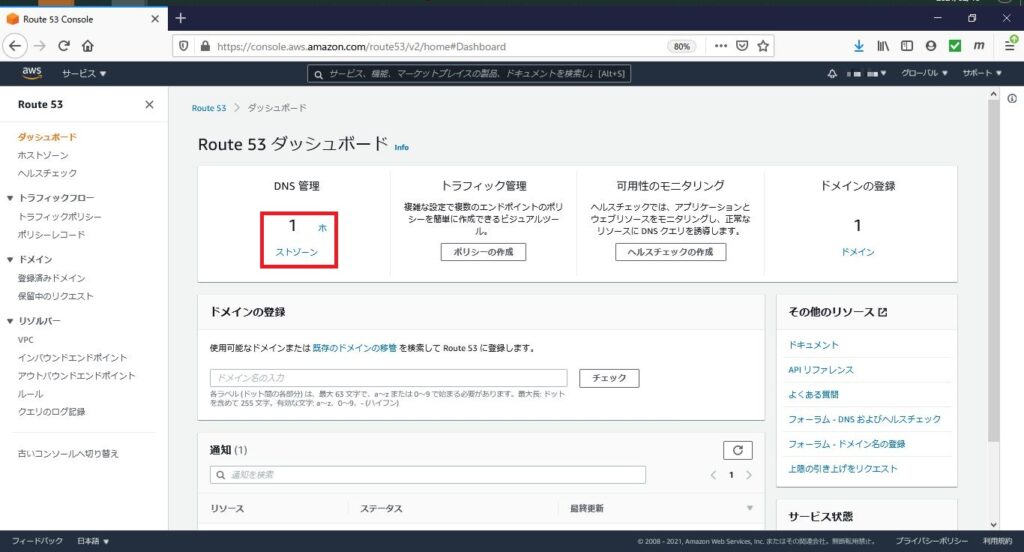
Route53のダッシュボードから、[ホストゾーン]を選択します。
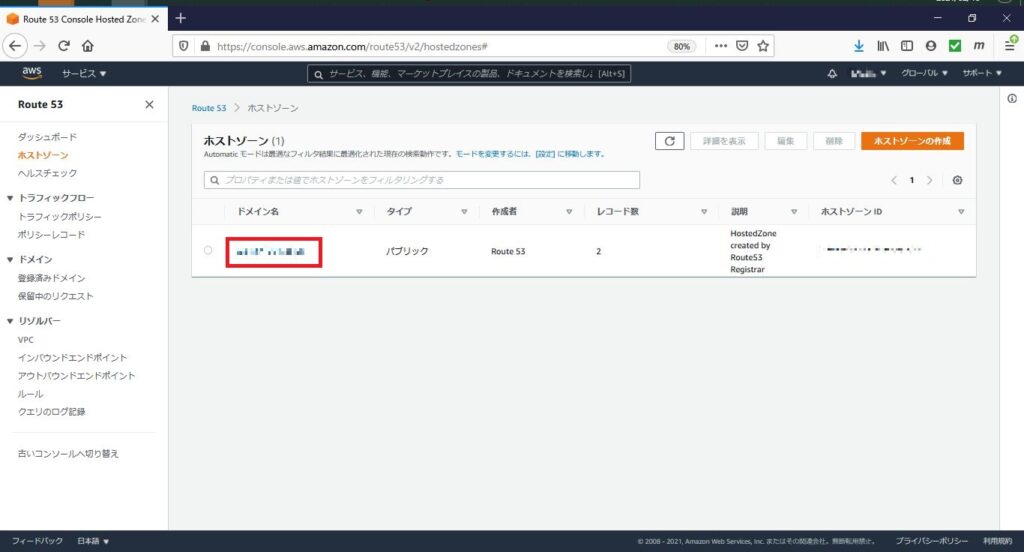
対象のドメインを選択します。
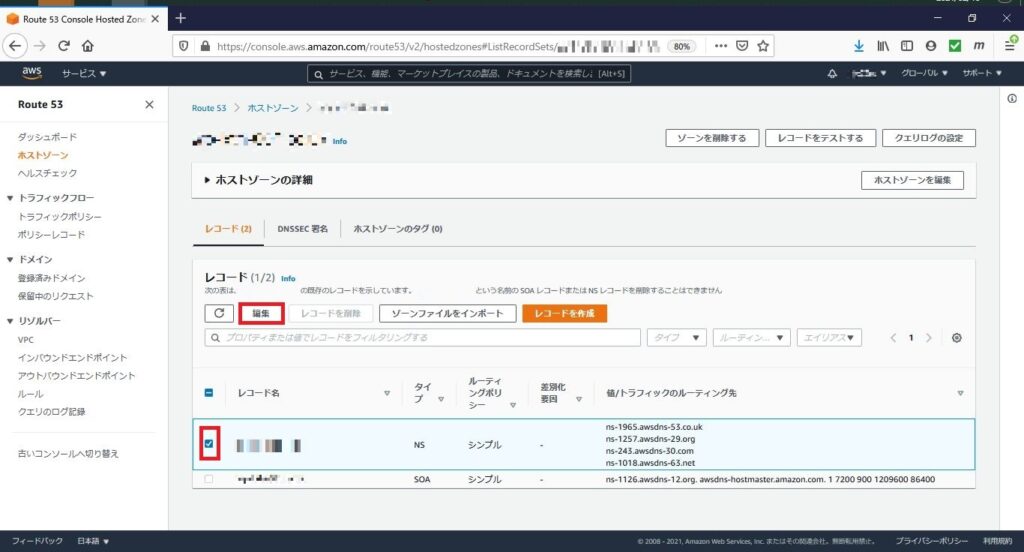
タイプ「NS」のチェックボックスに✓し、[編集]を選択します。
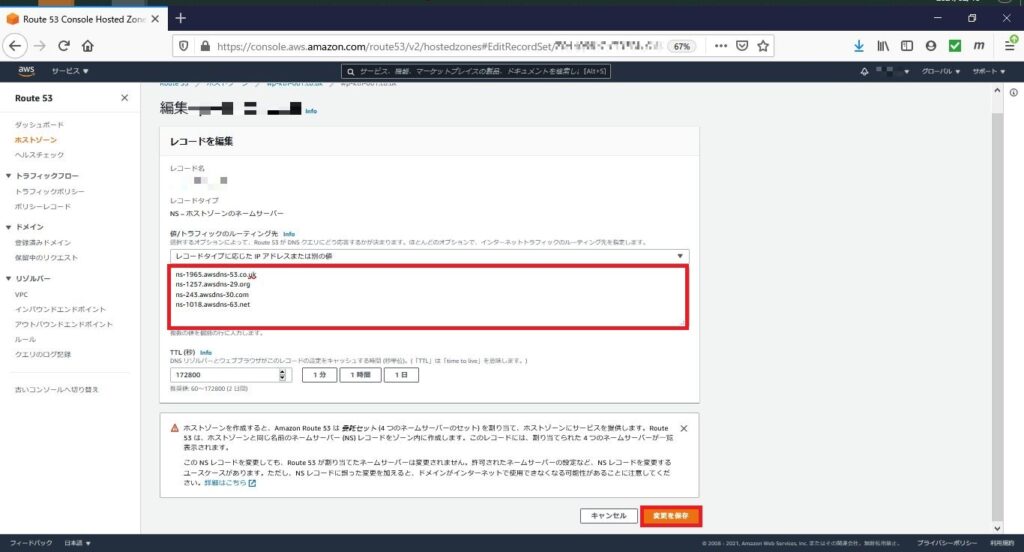
赤枠内にネームサーバー情報を入力し、[変更を保存]を選択します。




ブログ
Route53のDNS管理からホストゾーンを編集する方法を紹介します。
今回はNSサーバを変更していきます。
Route53のダッシュボードから、[ホストゾーン]を選択します。
対象のドメインを選択します。
タイプ「NS」のチェックボックスに✓し、[編集]を選択します。
赤枠内にネームサーバー情報を入力し、[変更を保存]を選択します。