

1. HOME
  2. ブログ
  3. Cisco
  4. L2SW
  5. 2960 L
  6. Cisco 2960 超初期設定手順

BLOG

ブログ

2960 L

Cisco 2960 超初期設定手順

はじめに

こんにちは!クロスサイドの武藤です。

検証のためにCiscoスイッチを初期化することになりました。

今回は、工場集荷状態のCISCOスイッチに初めてつないだ時の操作を手順化しました。

ネットの海に腐るほどありますが、自分の今後用で控えておこうと思います。


コンソール接続

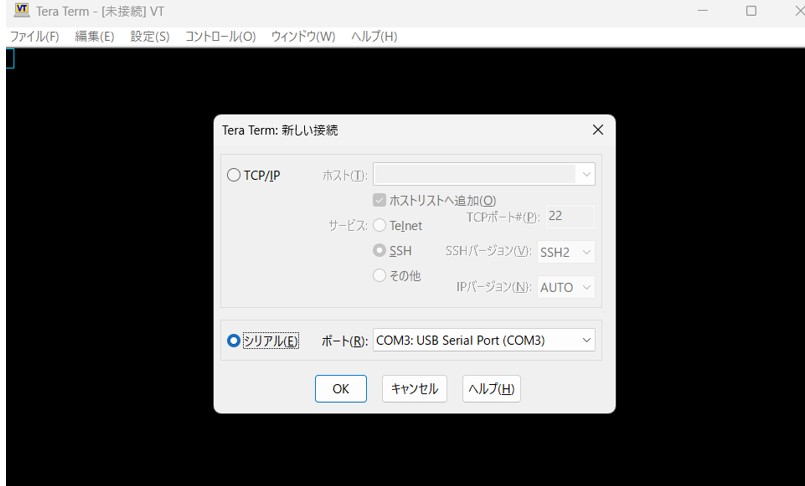
PCとL2SW をコンソールケーブルでつないでエミュレータを立ち上げる。

L2SW起動

コードをコンセントにつないでL2スイッチを立ち上げる。


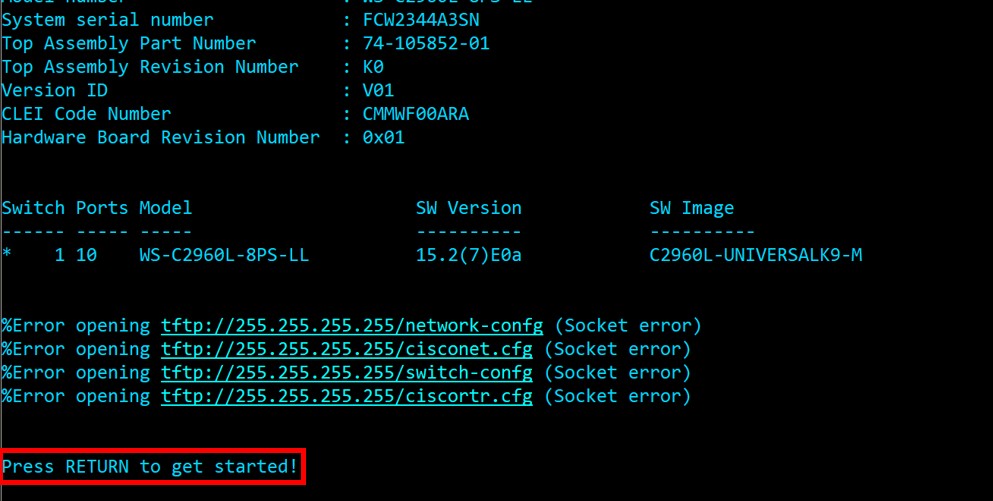
Enterキー押下

Press RETURN to get started! という文言が出てきたら Enterキー を押下。

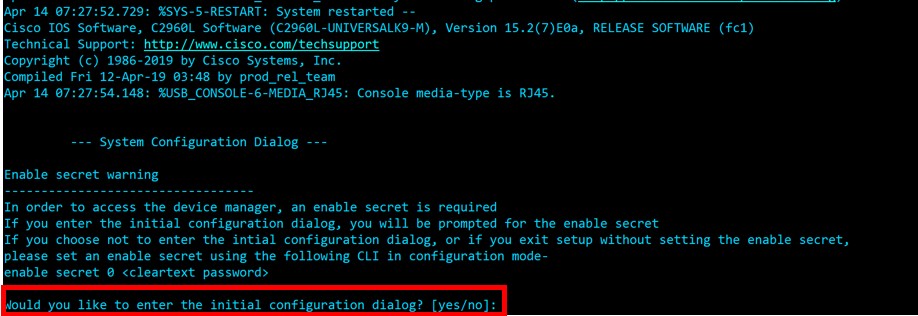
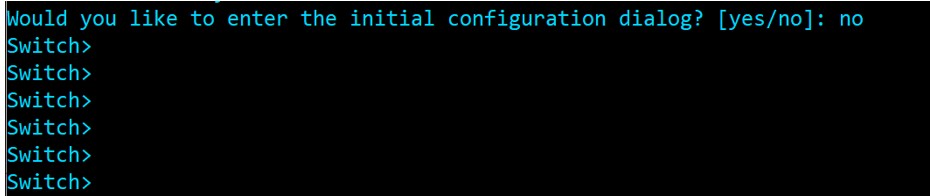
「System Configuration」ダイアログ

Would you like to enter the initial configuration dialog? [yes/no]: という文言が出てきたら Ctrl」 + 「c」  もしくは no を入力。

Switch> となればOK。


関連記事

This website stores cookies on your computer. These cookies are used to provide a more personalized experience and to track your whereabouts around our website in compliance with the European General Data Protection Regulation. If you decide to to opt-out of any future tracking, a cookie will be setup in your browser to remember this choice for one year.

Accept or Deny