






1. HOME
  2. ブログ
  3. VSCode
  4. Visual Studio Codeの日本語化手順

BLOG

ブログ

VSCode

Visual Studio Codeの日本語化手順

Visual Studio Codeを日本語化する手順を紹介します!

日本語化パッケージをインストールする

Visual Studio Codeを起動します。
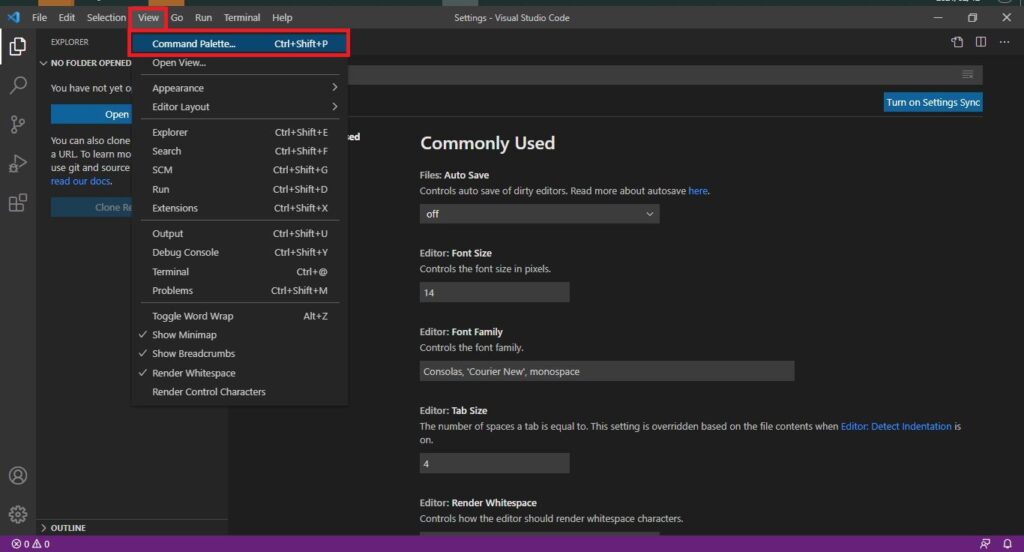
[View]→[Command Palette]の順に選択します。

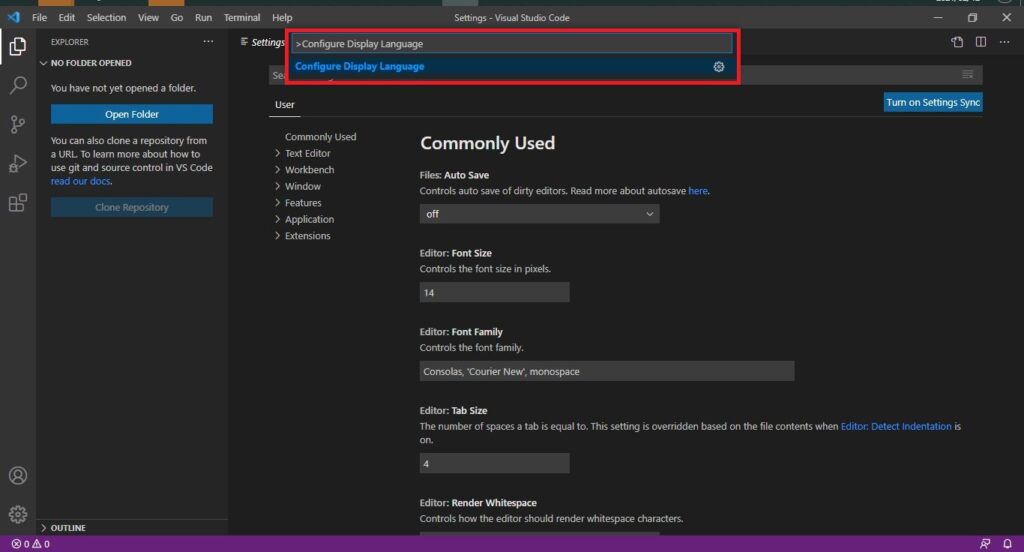
検索ボックスが表示されたら、”Configure Display Language”と入力します。
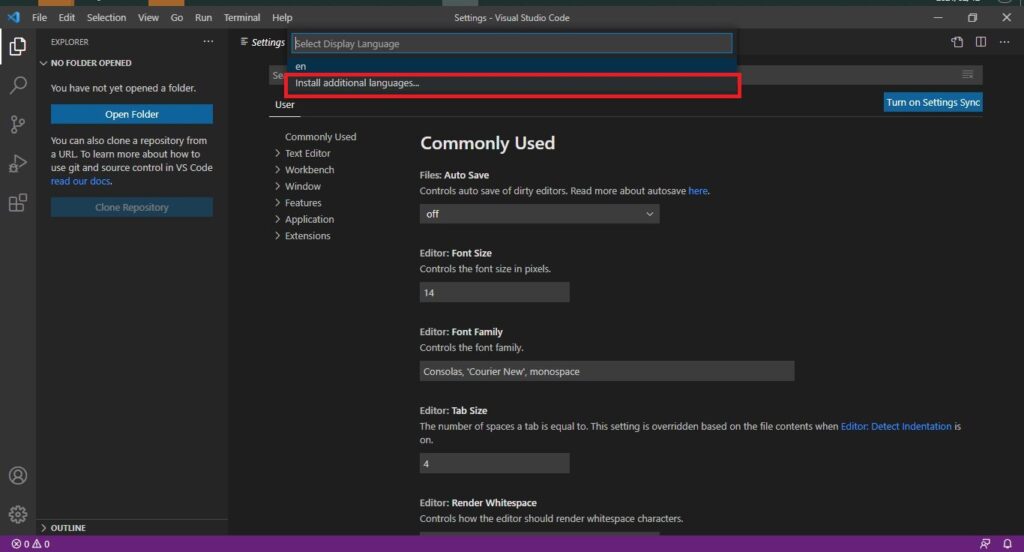
[Install additional languages]を選択します。
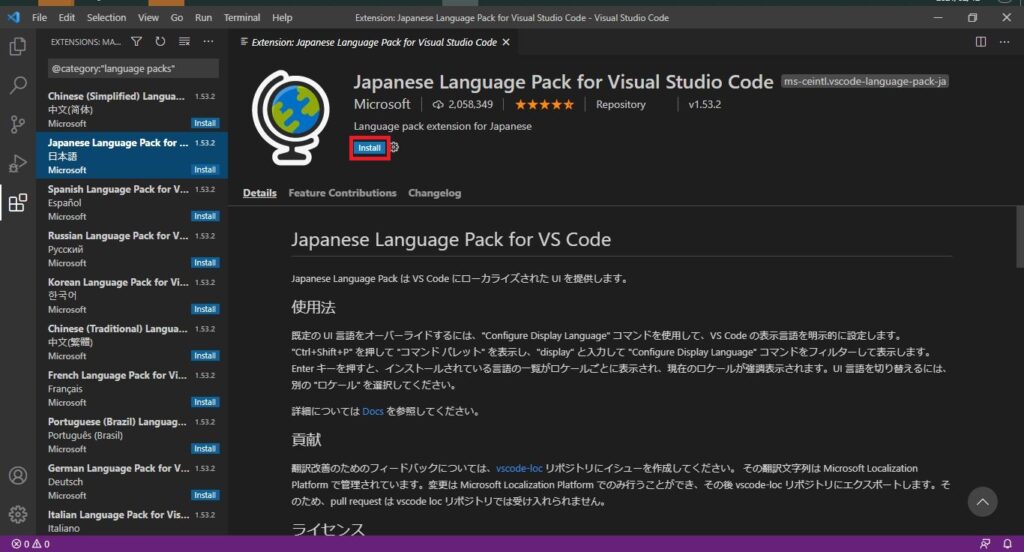
左に言語が表示されますので、[Japanese Languages Pack for Visual Studio Code]を選択します。
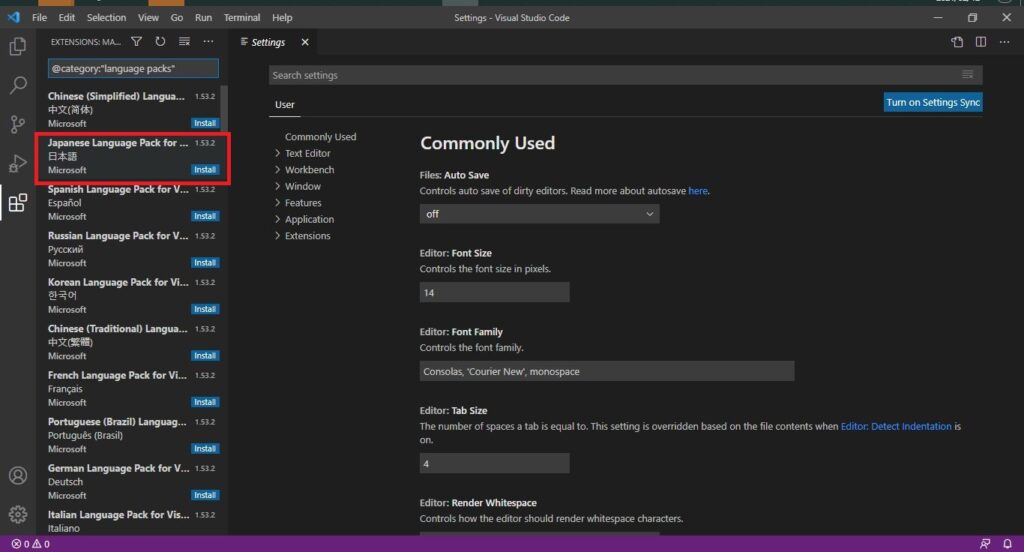
[Install]を選択します。
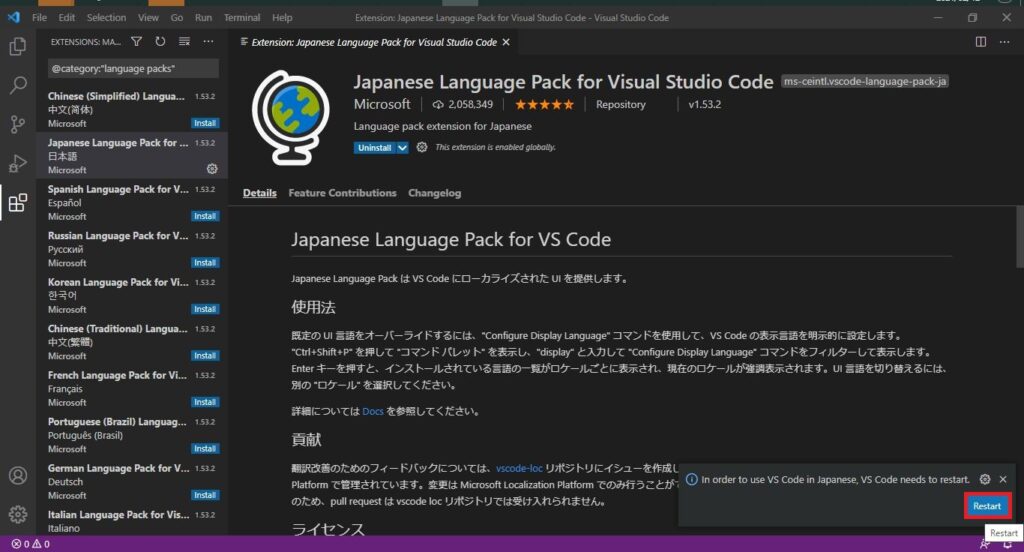
インストール後、日本語化するための再起動が必要なので、[Restart]を選択します。
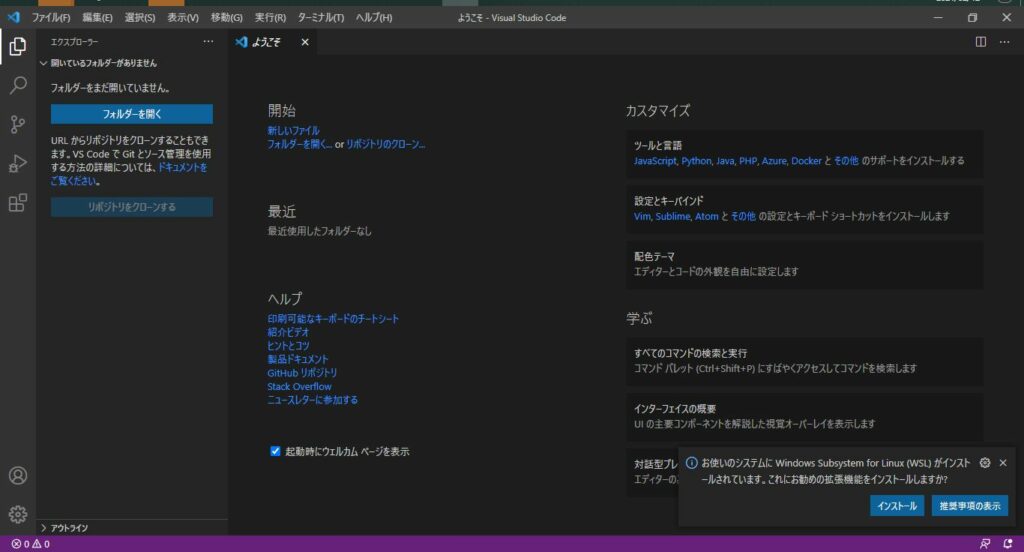
再起動後、アプリが日本語化されていることを確認します。

関連記事

This website stores cookies on your computer. These cookies are used to provide a more personalized experience and to track your whereabouts around our website in compliance with the European General Data Protection Regulation. If you decide to to opt-out of any future tracking, a cookie will be setup in your browser to remember this choice for one year.

Accept or Deny